
 Developer Reference
Markdy Documentation
Markdy is a diagram-native DSL for creating animated architecture diagrams from reviewable, version-controlled plain text. Markdy compiles declarations into fluid Web Animations API motion without canvas overhead or manual coordinate math.
60-Second Quickstart
# VS Code
code --install-extension hoangyell.markdy-vscode

# Cursor
cursor --install-extension hoangyell.markdy-vscode

# Open live animated preview: Cmd+K V (macOS) / Ctrl+K V (Windows/Linux)# 1. Install Markdy CLI globally (or run with npx)
npm install -g @markdy/cli
# 2. Render and open your animated architecture diagram in the browser
markdy render architecture.markdy --openHere is a complete, runnable architecture.markdy scene:
scene theme=paper layout=LR

client WebBrowser "Client App"
gateway ApiGateway "API Gateway"
cache RedisCluster "Redis Cache"
database PostgresDB "PostgreSQL (Master)"

group caching: RedisCluster
group persistence: PostgresDB

beat setup "Initial System Reveal":
  show $nodes stagger=60ms

beat flow "Cache Lookup & Fallback":
  WebBrowser -> ApiGateway "GET /product/42"
  ApiGateway -> RedisCluster "1. Check Cache (MISS)"
  ApiGateway -> PostgresDB "2. Query Database"
  ApiGateway -> RedisCluster "3. Populate Cache"
  WebBrowser <- ApiGateway "200 OK (JSON)"
Core Philosophy
Markdy is diagram-native: MarkdyScript isn't a config format bolted onto a chart library - it's a small DSL purpose-built for describing systems, and every part of the toolchain treats it as a first-class language:
- Diagrams as code. A scene is plain text, so it lives in your repo, reviews in a pull request, and diffs like any other source file - no binary design-tool exports to go stale.
- Parsing is separate from rendering.
@markdy/corecompiles MarkdyScript into a render plan (positioned nodes, routed edges, timed cues);@markdy/renderer-domturns that plan into DOM and SVG. Anything that can consume the render plan can become a renderer. - Motion, not just layout. Diagrams are told through
beats - discrete timeline steps - driven by the browser's native Web Animations API, so playback is seekable and scrubbable instead of a single static export. - Semantic nodes over generic boxes. Declaring a node's kind (
service,database,queue, ...) carries meaning the renderer uses for styling and iconography, instead of hand-picking shapes and colors per node.
Scene Declaration
Every Markdy script starts with an optional scene header declaring canvas metadata, visual theme, and reading direction:
scene theme=paper layout=LR width=1280 height=720| Property | Options / Format | Default | Description |
|---|---|---|---|
theme | paper, editorial, terminal, sketchy, blueprint, midnight, graphite, nebula | paper | Visual presentation theme tailored for publication and documentation. |
layout | LR (Left to Right), TB (Top to Bottom), RL, BT | LR | Primary topological flow direction for the automated DAG router. |
type | architecture, flowchart, tree, sequence, state, layers, nested, swimlane, timeline, gantt, medallion, flywheel, constellation, quadrant, pyramid, radar, venn | architecture | Specialized layout engine tailoring node placement and edge routing. |
width / height | Auto (content-adaptive default) or pixel numbers (e.g. width=1600 height=900) | Auto | Virtual canvas viewport dimensions; automatically calculates optimal aspect ratio and bounds based on diagram items and topology when omitted. |
Semantic Node Kinds
Markdy uses semantic node declarations. Rather than generic boxes, each node kind automatically receives domain-specific styling, iconography, and rendering metadata:
| Kind | Icon | Description | Syntax Example |
|---|---|---|---|
user | End users, mobile apps, or human actors initiating requests | user Customer "Mobile User" | |
client | Frontends, SPAs, web browsers, or client runtimes | client WebApp "Next.js WebApp" | |
gateway | API Gateways, reverse proxies, ingress, or load balancers | gateway ApiGateway "Kong / Envoy" | |
service | Microservices, backend applications, gRPC daemons | service AuthService "Auth & Sessions" | |
database | Relational DBs, document stores, primary persistence | database Postgres "PostgreSQL 16" | |
cache | In-memory stores, Redis clusters, Memcached instances | cache Redis "Redis Cluster" | |
queue | Message brokers, Kafka event streams, SQS/RabbitMQ | queue EventBus "Kafka Event Stream" | |
worker | Background job processors, async consumers, cron runners | worker VideoWorker "Transcoder Worker" | |
storage | Object storage buckets, S3, blob storage, volume mounts | storage S3Bucket "Asset S3 Bucket" | |
cdn | Global edge CDNs, Cloudflare, Fastly edge points | cdn Cloudflare "Cloudflare Edge" | |
firewall | WAFs, security filters, rate limiters, DMZ shields | firewall CloudWAF "AWS WAF Shield" | |
lambda | Serverless functions, edge compute, ephemeral handlers | lambda ImageResize "Edge Worker" | |
pod | Kubernetes pods, container instances, daemon sets | pod OrderPod "order-pod-v2" |
Groups & Subsystem Boundaries
Declare logical architectural boundaries, network VPCs, Kubernetes namespaces, or cluster tiers using the group keyword:
# Syntax: group <group_id> [label="Display Title"]: <node1> <node2> ...
group ingress "Public Ingress Tier": WebClient ApiGateway
group storage "Data Persistence": RedisCluster PostgresDB
Flow Operators & Routing
Markdy provides 6 expressive flow operators to distinguish synchronous requests, asynchronous event streams, and streaming data pipes:
| Operator | Name | Behavior | Example |
|---|---|---|---|
-> | Sync Request | Direct synchronous RPC, HTTP call, or method invocation with moving payload particle | Client -> Gateway "POST /order" |
<- | Sync Response | Synchronous return value, ACK response, or status code flowing backward | Client <- Gateway "201 Created" |
<-> | Bidirectional | Full-duplex WebSocket connection, socket streaming, or sync handshake | Browser <-> SocketServer "ws:// live" |
~> | Async Event | Non-blocking message pub/sub, webhook trigger, or distributed queue emission | Gateway ~> EventBus "order.placed" |
==> | Data Pipe | High-throughput bulk data stream, ETL pipeline, or database replication | PrimaryDB ==> ReplicaDB "WAL stream" |
-.-> | Dotted / Probe | Heartbeat ping, liveness check, telemetry beacon, or weak reference | Monitor -.-> Service "health check" |
Multi-Hop Chaining
Chain multi-stage operations cleanly on a single line:
WebApp -> ApiGateway "POST /checkout" -> PaymentWorker "charge" -> PostgresDB "save"Timeline Beats & Motion Choreography
Markdy diagrams are animated through discrete beats. Each beat represents a step in a walkthrough, story, or lifecycle:
| Cue Directive | Description | Example |
|---|---|---|
show $nodes | Progressively reveals all declared nodes with timed stagger animation | show $nodes stagger=60ms |
show <group> | Reveals specific boundary groups or clustered subsystem components | show ingress stagger=40ms & show persistence |
frame <target> | Directs camera attention and smooth pan/zoom to a group or node | frame storage zoom=1.15 |
pulse <target> | Highlights node with a luminous phosphorescent beacon ring | pulse Redis color=accent count=2 |
dim <target> | Fades non-active components to 25% opacity to emphasize current flow | dim Auth WebApp |
& (parallel) | Executes multiple cues or concurrent network flows at the same instant | App -> Cache "get" & App -> Db "log" |
Universal Ingestion & 1-Click Migration
Convert existing static architecture files directly into animated MarkdyScript using @markdy/compat:
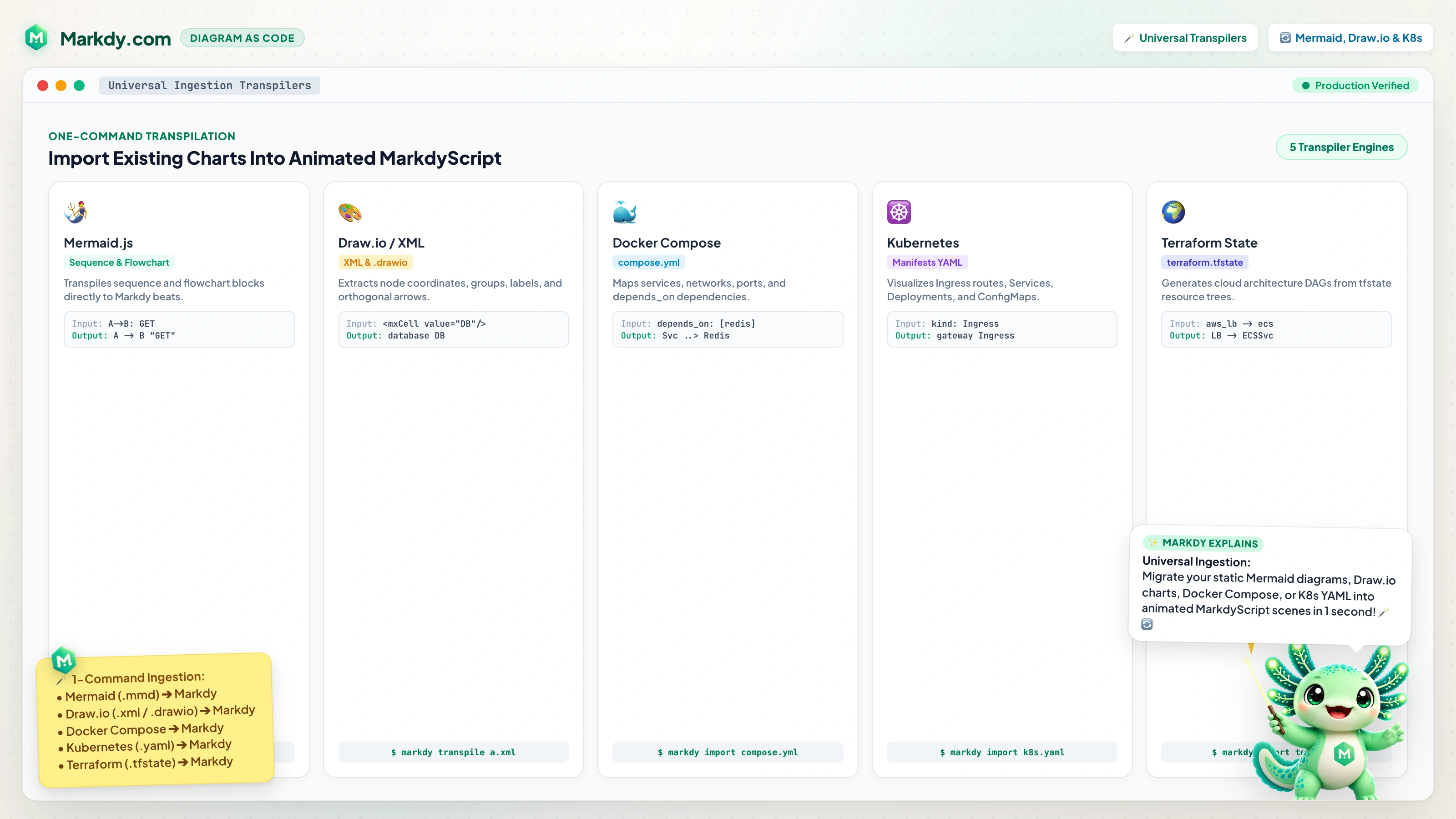
Mermaid.js (Flowcharts & Sequences)
Converts graph TD/LR and sequence diagrams to MarkdyScript.
markdy import flow.mmd --out flow.markdyDocker Compose
Extracts services, network links, volumes, and ports into clustered scenes.
markdy import docker-compose.ymlKubernetes YAML
Maps Ingress, Service, Deployment, Pod, and PVC tiers into nested groups.
markdy import k8s-manifest.yamlTerraform State
Extracts cloud VPCs, subnets, databases, and gateways into layered architectures.
markdy import terraform.tfstateAI Coding Agents & Official MCP Server
Connect Claude Desktop, Cursor, Antigravity, or any LLM agent to the official Model Context Protocol server:
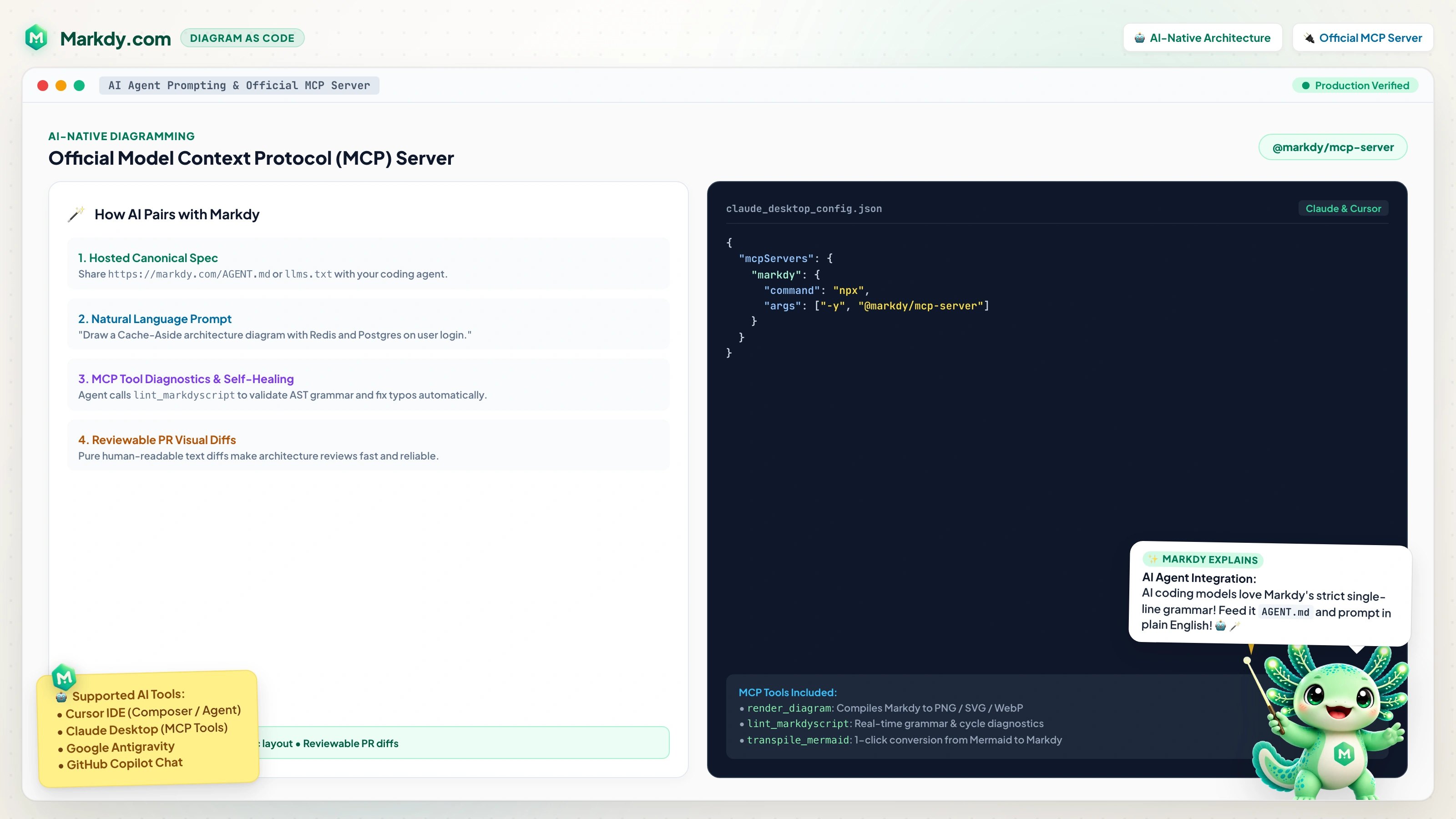
{
  "mcpServers": {
    "markdy": {
      "command": "npx",
      "args": ["-y", "@markdy/mcp-server"]
    }
  }
}
AI agents can access markdy.com/AGENT.md and call validate_markdy_script to test and self-heal diagrams during generation.
Architecture Governance & CI/CD Linter
Integrate automated Well-Architected governance checks in your continuous integration pipeline:
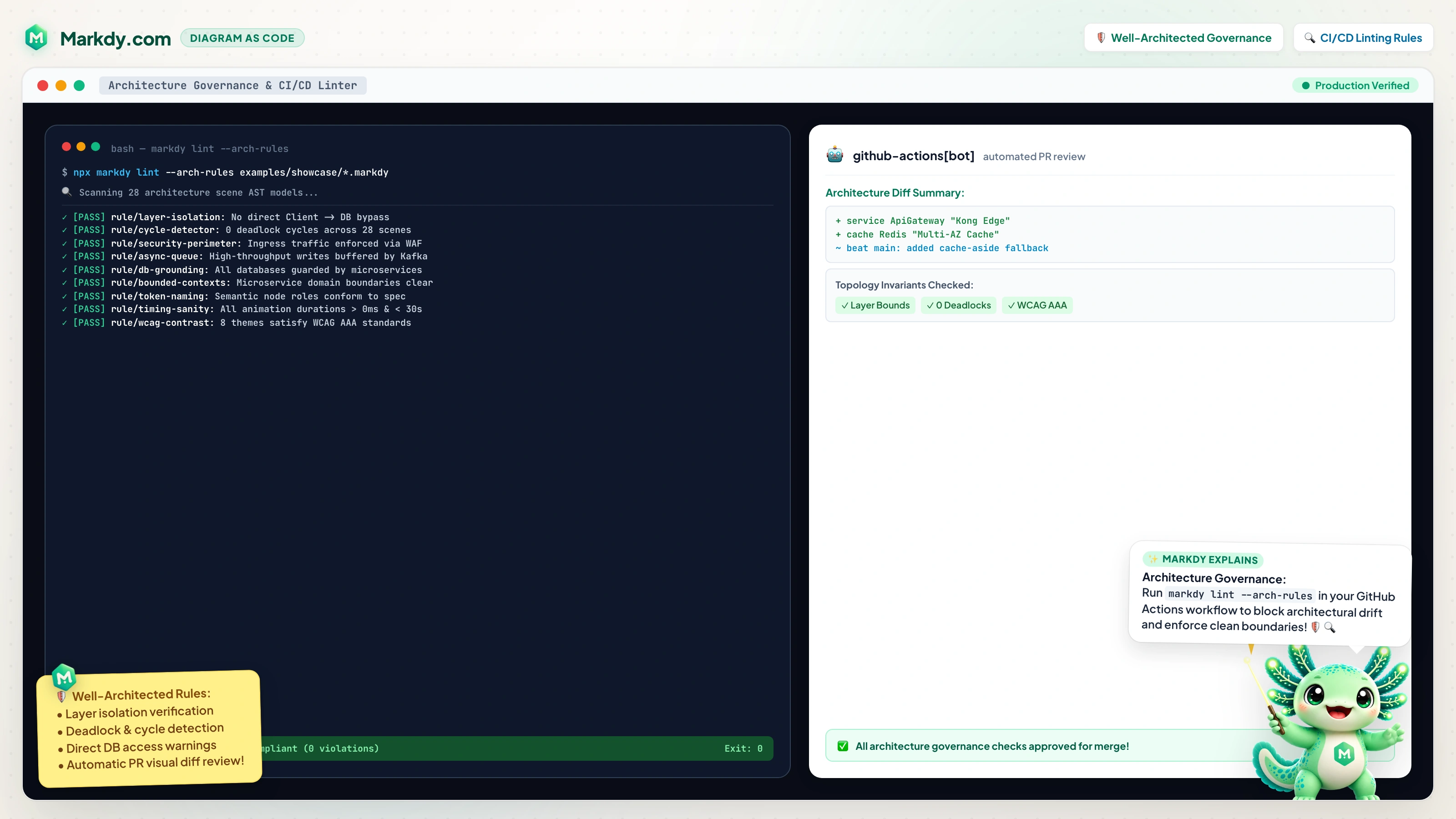
| Rule ID | Severity | Enforcement Rule |
|---|---|---|
no-circular-dependencies | BLOCKING | Flags synchronous request cycles (A -> B -> C -> A) that risk cascade deadlocks. |
strict-layer-boundaries | ERROR | Enforces architectural tiers (e.g. Clients cannot bypass API Gateways to talk to DBs). |
isolated-node-warning | WARNING | Identifies orphaned microservices or unlinked database instances lacking connections. |
semantic-diff-evolution | PR AUDIT | Produces GitHub Markdown change summaries and migration tables for pull requests. |
Framework Integrations: JavaScript, Astro, MDX & React
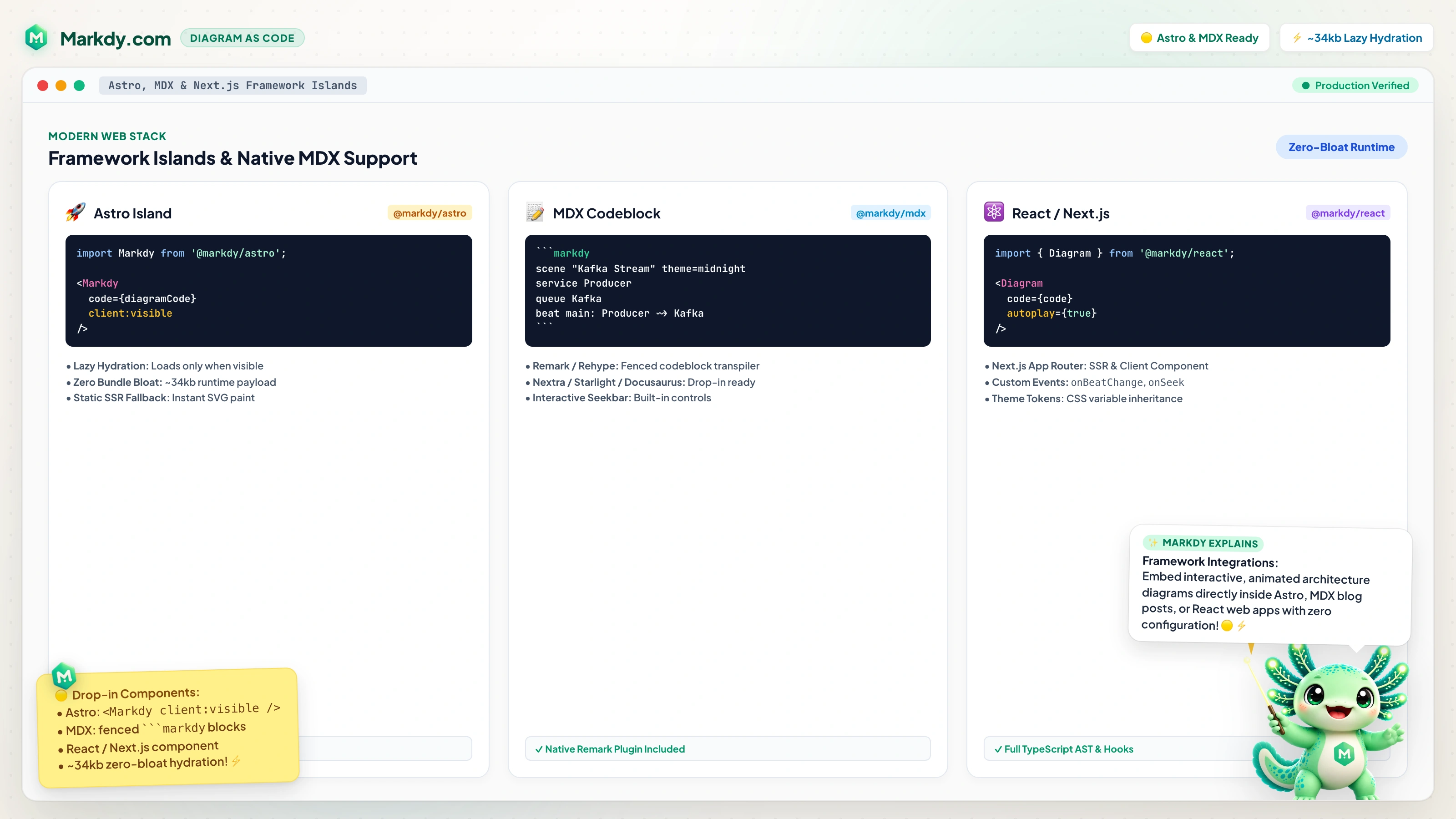
Vanilla JavaScript
import { createDiagram } from "@markdy/renderer-dom";

const diagram = createDiagram({
  container: document.getElementById("scene"),
  code: sceneCode,
});

diagram.play();
Astro Integration
import { Markdy } from "@markdy/astro";

<Markdy code={sceneCode} autoplay />
MDX Documentation
```markdy
scene theme=paper
client Browser -> service Api -> database DB
```