Architecture diagrams are only as good as their accuracy. When diagrams are drawn by hand on virtual whiteboards, they drift from production within weeks. With the new Universal Ingestion engine and Architecture Governance Linter, Markdy bridges the gap between infrastructure configuration and animated architectural documentation.
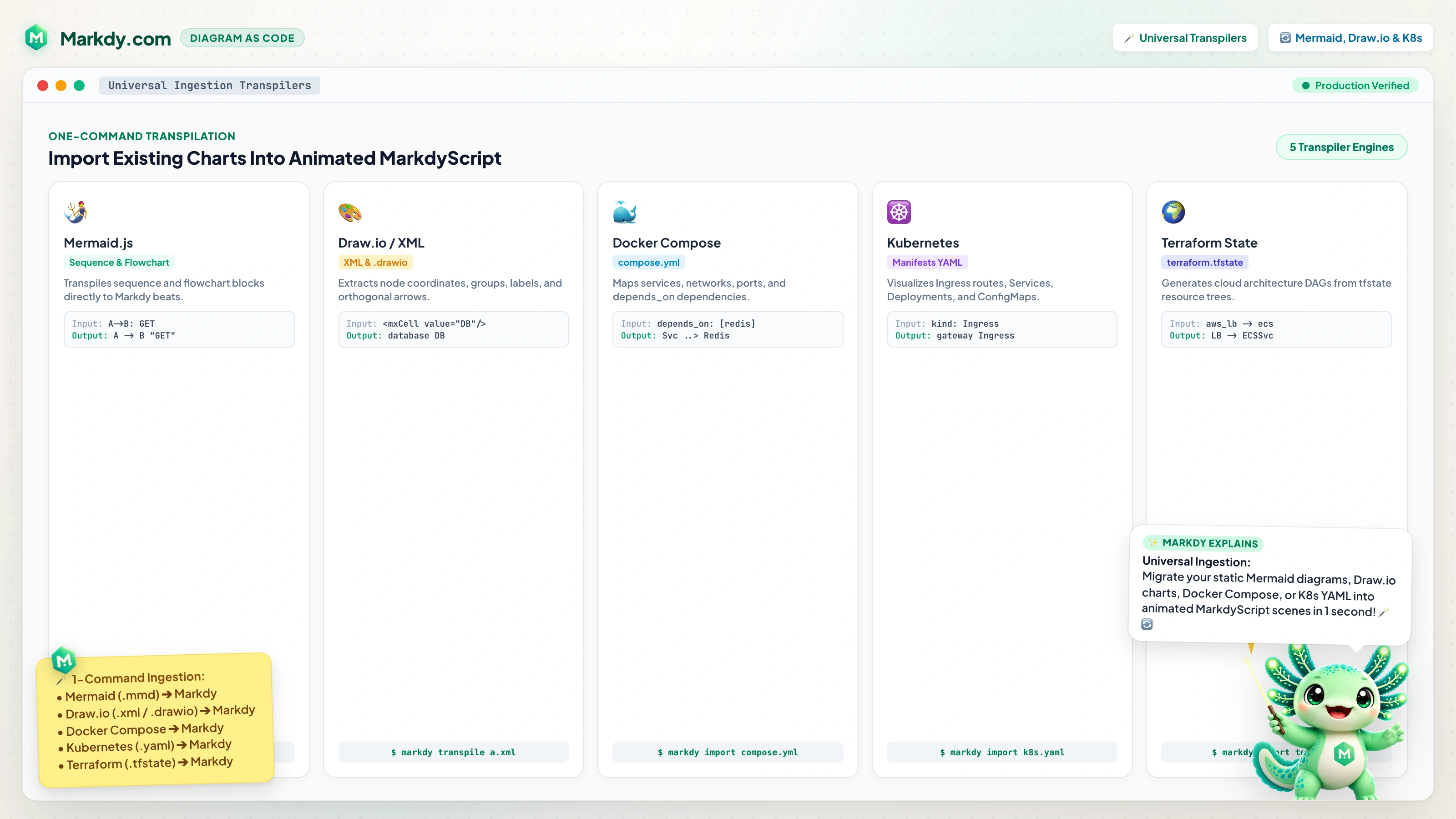
1. Universal Ingestion: From Compose, K8s, Terraform, and Mermaid
You no longer need to write MarkdyScript from scratch. The @markdy/compat package and markdy import CLI command automatically ingest your existing configurations and transpile them into animated scenes with semantic node types, port allocations, and sequential traffic flow beats.
# Ingest Mermaid flowchart or sequence diagram
markdy import ./architecture.mmd --out ./scenes/arch.markdy

# Ingest Docker Compose microservices
markdy import ./docker-compose.yml --out ./scenes/containers.markdy

# Ingest multi-document Kubernetes manifests
markdy import ./k8s-manifests.yaml --out ./scenes/k8s.markdy

# Ingest Terraform cloud state
markdy import ./terraform.tfstate --out ./scenes/cloud.markdy
2. Architecture Governance & Well-Architected Linting
Can a browser client bypass the API gateway to talk directly to your PostgreSQL database? Are there circular request chains that risk cascading deadlocks during outages?
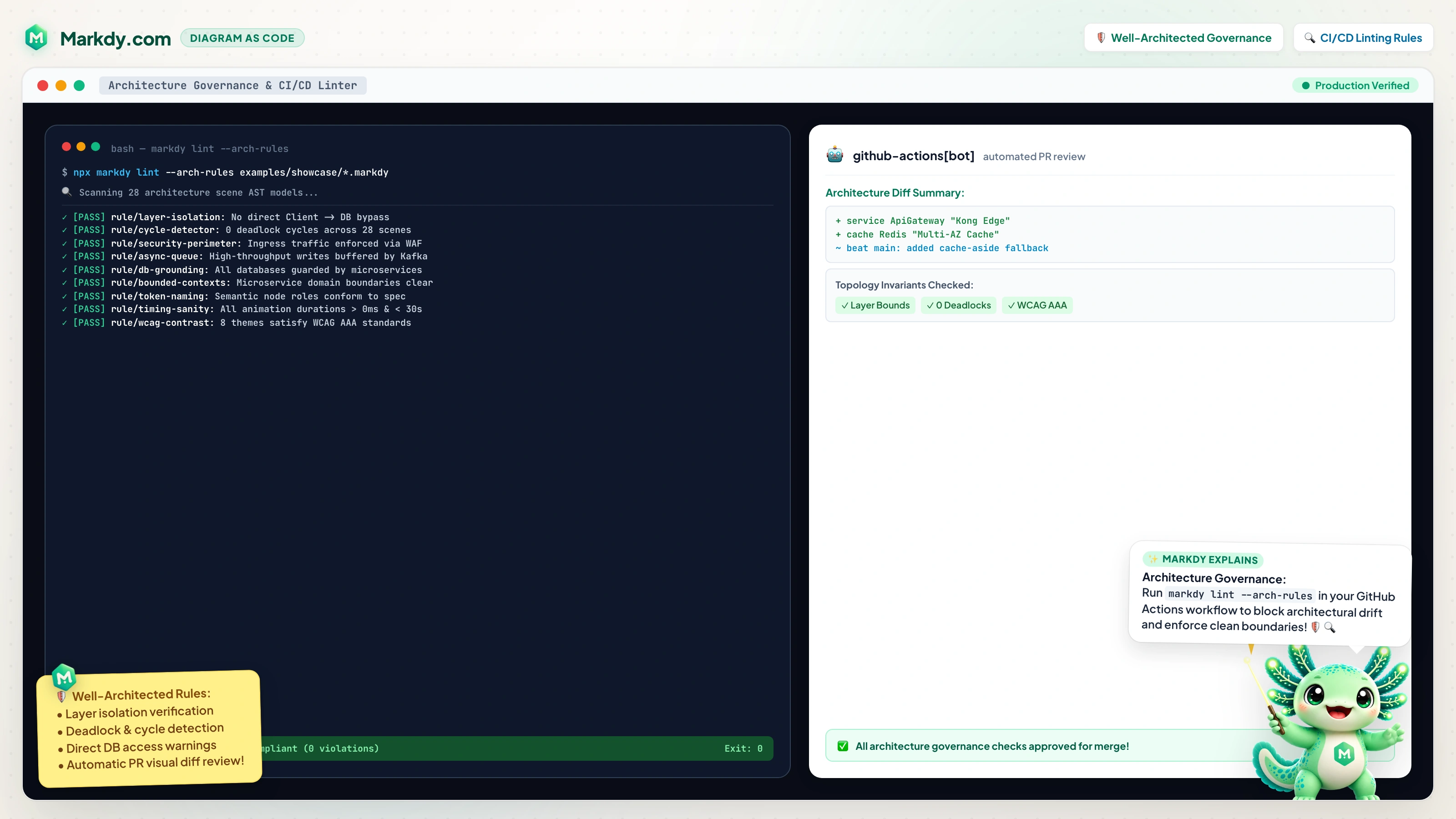
The markdy lint --arch-rules command runs static AST topology verification against AWS Well-Architected and Clean Architecture rules:
- Clean Architecture Enforcement: Prohibits presentation nodes from directly opening connections to persistence tiers without an intermediary service.
- Synchronous Cycle Detection: Graph analysis identifies cyclic request paths (
A -> B -> C -> A) that cause distributed deadlocks. - Gateway Isolation: Ensures all external traffic passes through configured API gateways and WAF perimeters.
- Gateway Requirement: Mandates API gateway declaration for distributed systems with 3 or more microservices.
# Run governance checks in your GitHub Actions CI/CD pipeline
markdy lint ./scenes/ --arch-rules --strict
3. Semantic AST Diffing & Architecture Evolution
Architecture changes over time. When proposing changes in a Pull Request, markdy diff compares the AST of the current diagram against the new version:
# Output Markdown summary table for Pull Request descriptions
markdy diff ./scenes/v1.markdy ./scenes/v2.markdy

# Generate an animated evolutionary migration scene
markdy diff ./scenes/v1.markdy ./scenes/v2.markdy --evolution
4. Model Context Protocol (MCP) Server for AI Assistants
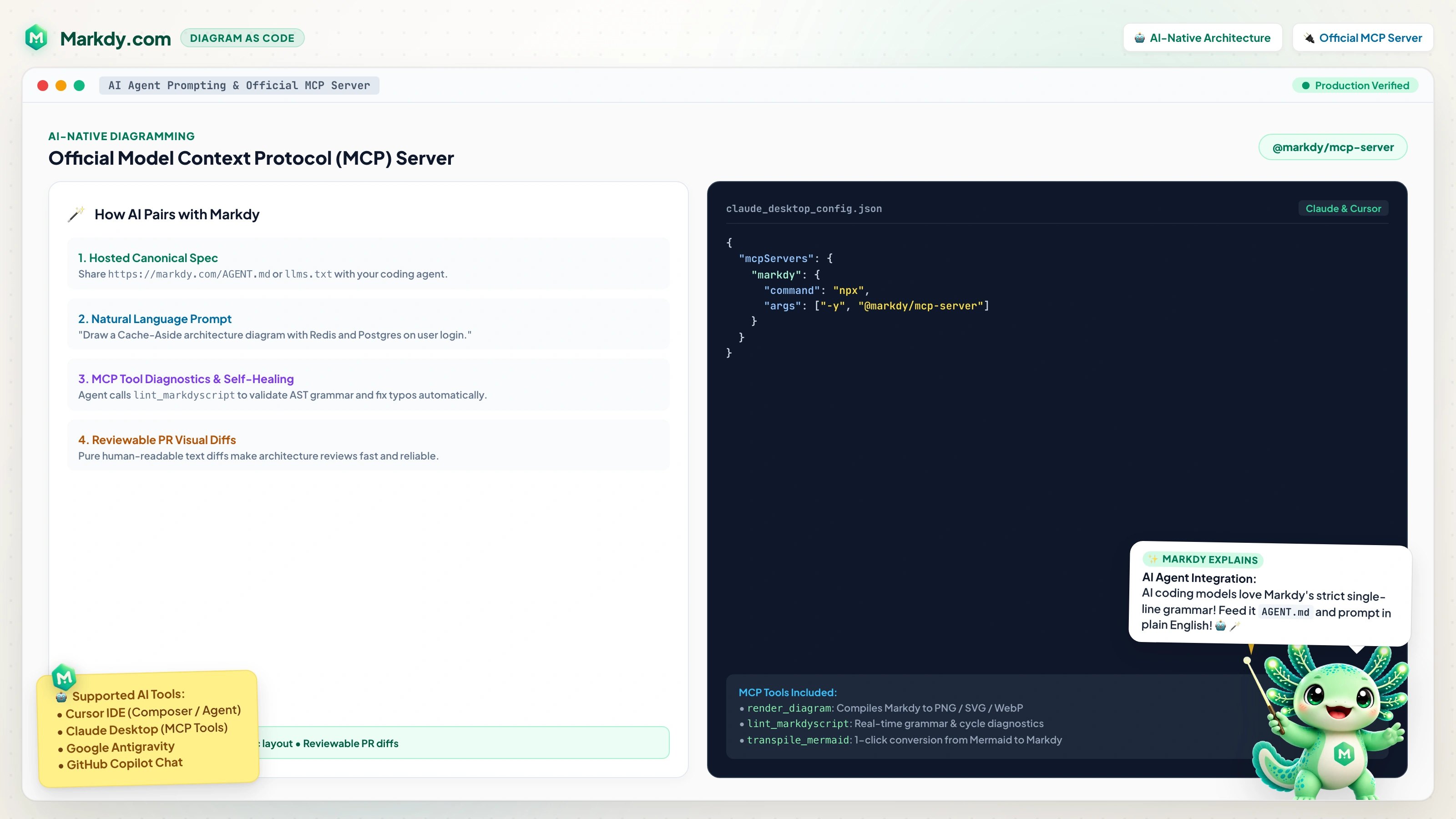
Through @markdy/mcp-server, AI assistants in Claude Desktop, Cursor, and Antigravity can inspect, validate, transpile, and self-heal MarkdyScript diagrams natively through standardized MCP tools.
// claude_desktop_config.json
{
  "mcpServers": {
    "markdy": {
      "command": "npx",
      "args": ["-y", "@markdy/mcp-server"]
    }
  }
}