Architecture diagrams rot. Someone draws the system in a whiteboard tool, exports a PNG, drops it in the wiki - and six deploys later it's fiction. Diagram as code fixes the staleness by keeping the diagram in the same repository as the code it describes. Markdy takes that one step further: your diagram isn't just versioned text, it's an animated architecture diagram that renders in any browser.
What "animated diagrams as code" actually means
In Markdy you declare nodes and connect them with flow operators. There are no coordinates to maintain - the engine handles layout, edge routing, and timing. Here's a complete, runnable scene:
scene theme=paper
layout LR

browser Web
service API "Checkout API"
database DB "Orders DB"

beat main:
  show $nodes stagger=80ms
  Web -> API "POST /order" -> DB "persist"
  Web <- API "201 Created"
That's the whole diagram. Paste it into the interactive playground and it lays out left-to-right, routes the arrows around the boxes, and animates the request/response flow. Because it's plain text, a teammate can review the change in a pull request - a one-line diff instead of a re-exported image.
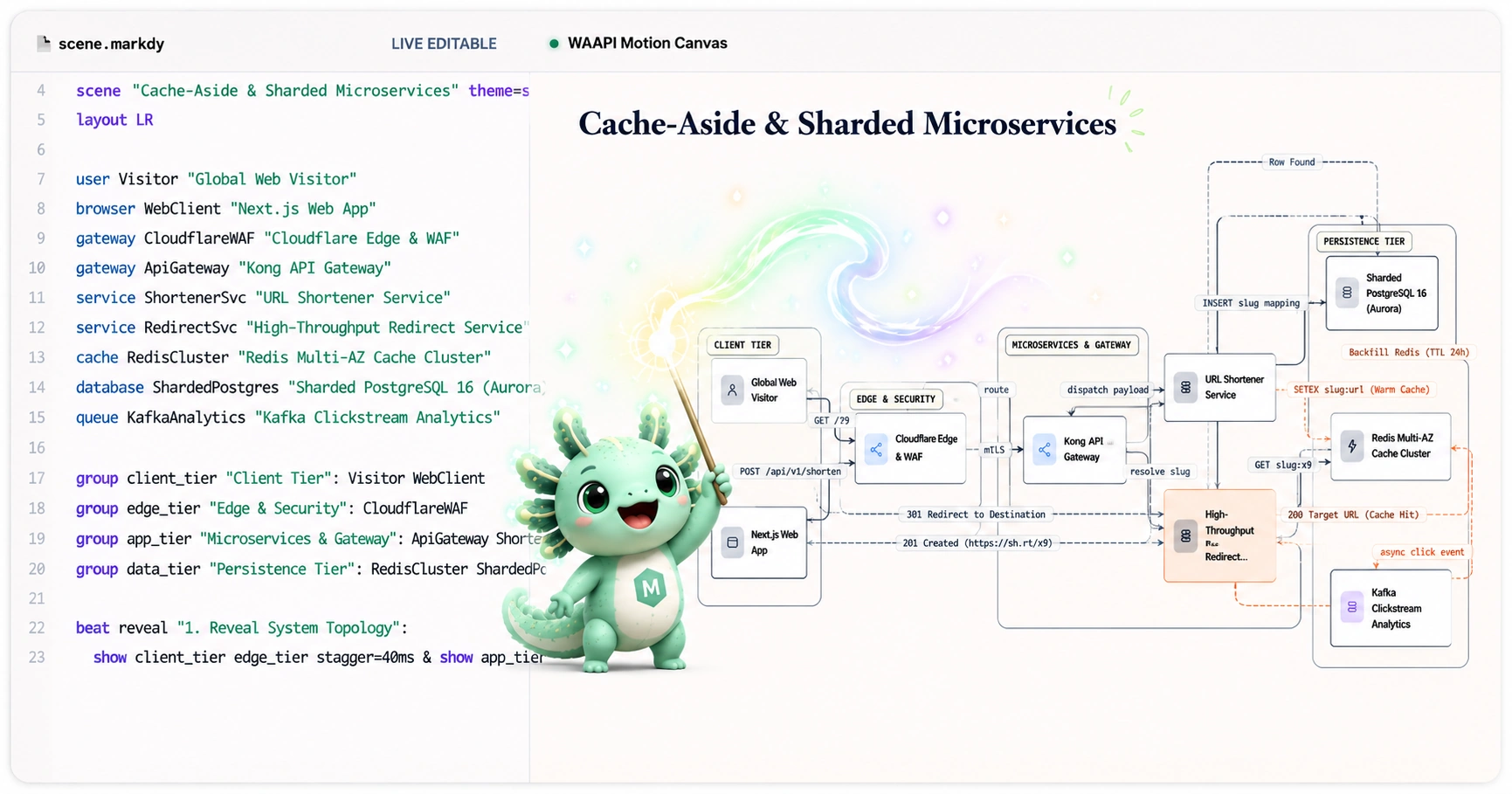
For narrower stories, add type=flowchart, type=tree, type=state,type=sequence, or type=constellation. The optional editorial andnebula themes give documentation and radial scenes distinct visual treatments without changing the MarkdyScript grammar.
Why version-controlled diagrams win
- Reviewable in PRs. Diagram changes show up as readable diffs next to the code change that caused them.
- Always current. The diagram lives in the repo, so it's updated in the same commit as the system.
- Copy-paste friendly. No binary assets, no design-tool licenses, no export step.
- AI-friendly. A constrained diagram-native DSL is easy for LLMs to generate and revise - see AI-generated architecture diagrams.
How it compares to static diagram-as-code tools
Tools like Mermaid, PlantUML, D2, and Graphviz pioneered text-to-diagram. They're excellent for static charts. Markdy is built for the moment when a static picture isn't enough - when you need to walk a viewer through a request path, a cache-miss fallback, or a deploy pipeline step by step.
| Need | Reach for |
|---|---|
| Static UML / flowchart in a README | Mermaid, PlantUML |
| Animated, narrated architecture & system flows | Markdy |
| Freeform whiteboard sketch | Excalidraw, draw.io |
Prefer a lighter runtime story too? Markdy renders with the Web Animations API and CSS - no Canvas or GSAP. Read browser-native diagram animation for the details.
Get started in two minutes
- Open the playground, pick a shipped architecture example, and edit the syntax-highlighted scene.
- Copy the syntax you need from the docs or the agent guide.
- Drop the
.markdyfile in your repo and render it with@markdy/renderer-dom, Astro, or MDX.
Animated diagrams as code mean your architecture picture is finally as maintainable as the architecture itself.